Skip to content
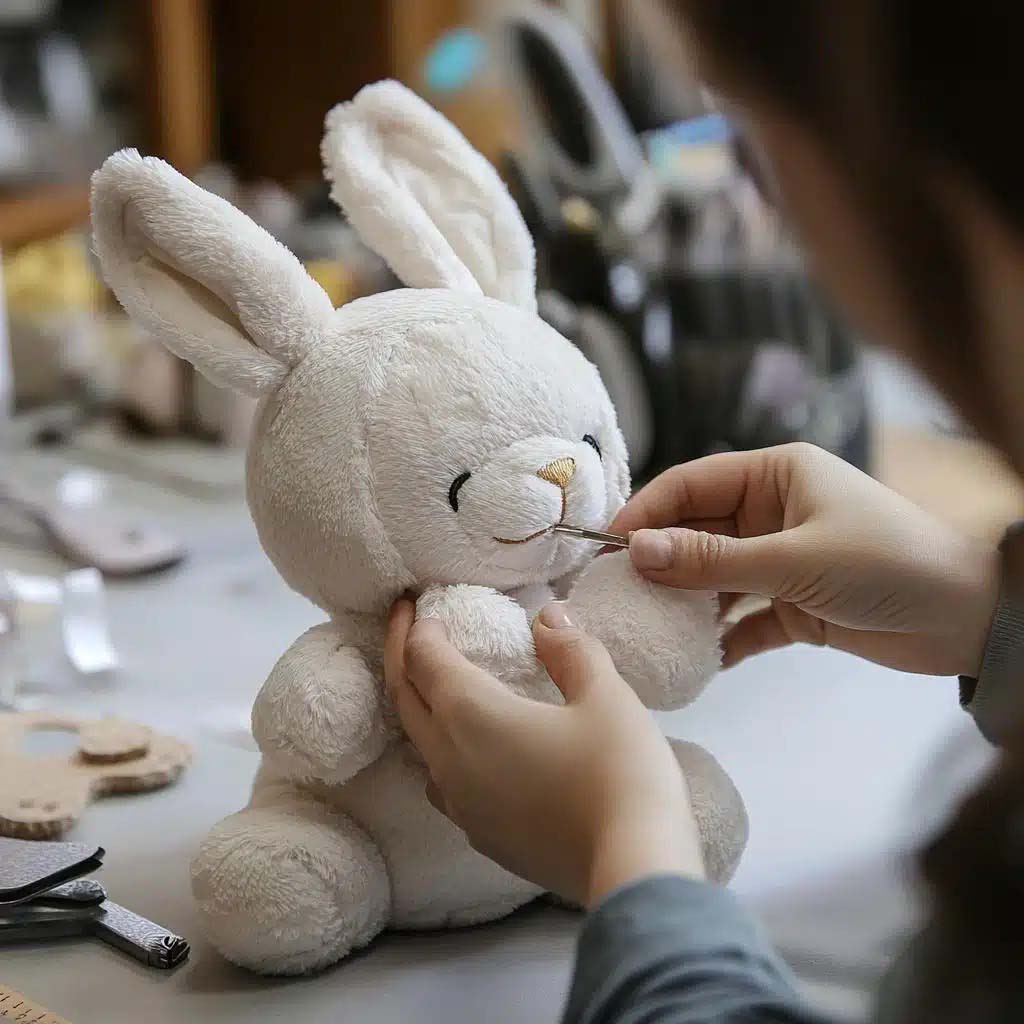
A cute plush toy always starts with a smart pattern. If the pattern is wrong, no fabric, stuffing, or embroidery can save the result.
A plush toy pattern is the 2D blueprint that controls shape, balance, and expression in 3D. When you understand tools, measurements, curves, and testing, you can turn any idea into a repeatable, production-ready pattern. In this guide, I’ll share how my team at Kinwin builds patterns for OEM/ODM projects, using simple steps you can follow at home or in a factory.
When you treat pattern design as a clear process, you get fewer surprises, fewer defects, and a much better chance that your plush looks exactly like your concept.
What tools and measurements are needed to draft a plush toy pattern?
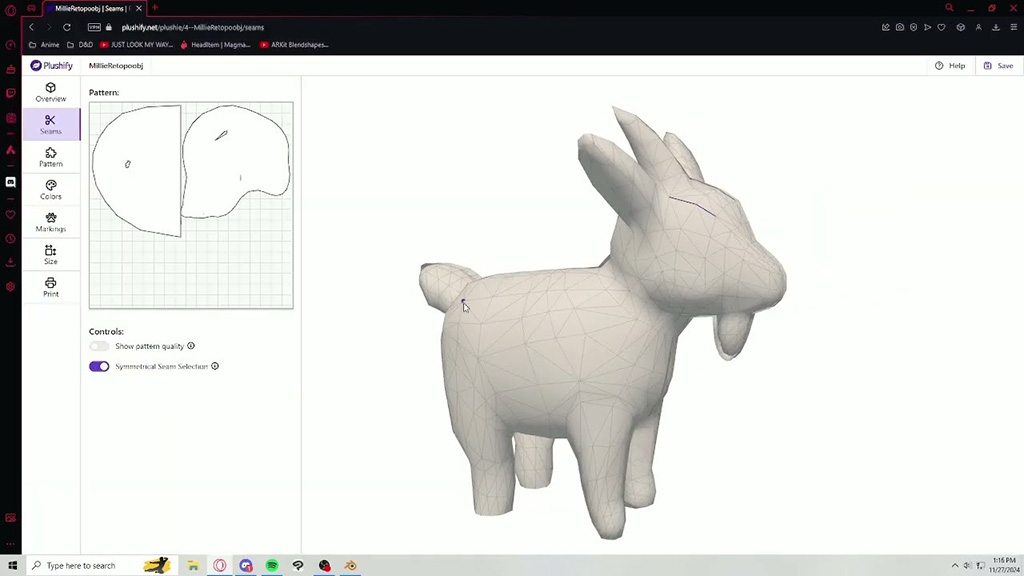
Before drawing, you need a small but reliable toolkit. Good tools make your lines cleaner, your curves smoother, and your measurements more accurate. This saves time later when you start sewing and adjusting samples.
You don’t need fancy machines to start a plush pattern. You need clear measurements, simple drawing tools, and a way to mark and cut accurately. Once these basics are in place, your pattern work becomes more controlled and easier to repeat for future designs.
Essential physical tools
- Pattern paper or kraft paper (large sheets)
- Sharp pencils and a good eraser
- Straight ruler (30 cm / 12″)
- French curve or any curve ruler
- Measuring tape (soft, flexible)
- Paper scissors and fabric scissors
- Tailor’s chalk or washable fabric marker
- Pins or pattern weights
- Notcher or small scissors to cut notches
Key measurements for a plush toy
- Overall height or length of the finished plush
- Width of head, body, and base
- Depth of body (front to back)
- Head-to-body ratio (big head / small body, etc.)
- Limb length vs body length
- Size of features: ears, tail, snout, paws
Table 1 – Basic toolkit and why it matters
| Item / Measurement | Role in Pattern Work | Why It Matters |
|---|---|---|
| Pattern paper | Base for all pattern pieces | Keeps designs organized and easy to store |
| Pencil & eraser | Drawing and correcting lines | Lets you edit curves many times |
| Straight ruler | Draws baselines, centers, and seam guides | Supports symmetry and accurate seam lines |
| Curve ruler / French curve | Shapes head, belly, limbs | Produces smooth curves, reduces sharp corners |
| Measuring tape | Measures 3D toys, sketches, and body parts | Connects real size to pattern size |
| Scissors (paper/fabric) | Cuts patterns and final fabric | Clean edges help match seams correctly |
| Chalk / fabric marker | Transfers lines and notches onto fabric | Guides sewing and assembly |
| Notches / small cuts | Alignment marks on edges | Ensures parts match at the right points |
| Key body measurements | Overall height, widths, depths | Keeps proportions intentional and repeatable |
Once you set up this toolkit, you can draft patterns more confidently and waste less fabric during testing.
How do you turn a plush toy concept into accurate flat pattern pieces?
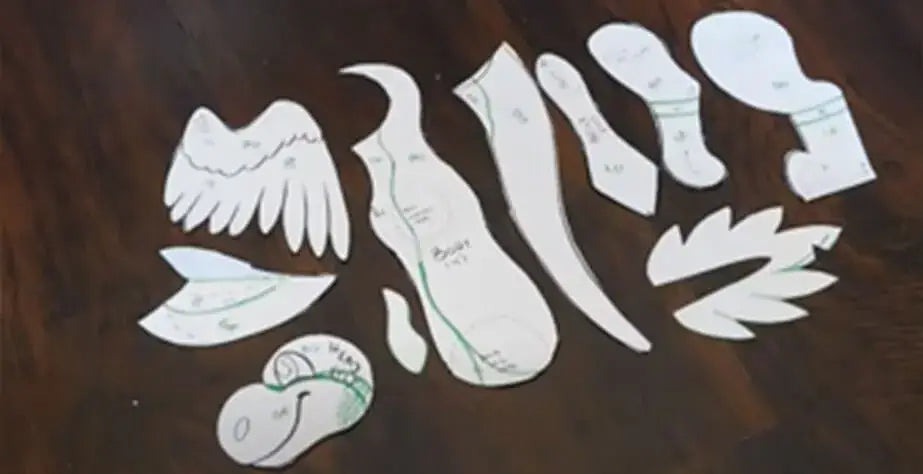
A plush concept usually starts as a cute drawing or a character style guide. To sew it, you must convert that idea into flat pattern pieces that will wrap around stuffing and form a 3D shape.
The secret is to break your 3D idea into clear views and parts—then design each part as a 2D shell. When you move from sketch to front/side/back views, you can decide where seams go and how each panel must curve.
Step-by-step: from concept to pattern
1. Define the concept clearly
- Choose final size (for example 25 cm tall).
- Decide pose: standing, sitting, or lying.
- List key character features that must stay (ears, hairstyle, clothing, tail).
2. Draw simple orthographic views
- Front view: shows width and facial layout.
- Side view: shows depth, belly shape, and head angle.
- Back view (optional): useful for tails, hair, or capes.
3. Divide the plush into main parts
- Head
- Body
- Arms and legs
- Ears, tail, wings, accessories
Think where seams are best placed so the toy looks clean and is easy to sew.
4. Draft flat pattern pieces on paper
- Draw a vertical center line for each main piece.
- Sketch half of the shape, then mirror for symmetry.
- Think: “How will this piece wrap around stuffing?”
5. Label and mark each piece
- Name: “Head side”, “Head top”, “Body front”, “Arm”, etc.
- Show grain / pile direction with arrows.
- Mark where eyes, nose, or important details align.
Table 2 – From idea to flat pattern pieces
| Stage | What You Do | Result for the Pattern |
|---|---|---|
| Concept definition | Fix size, pose, and must-keep features | Clear boundaries for pattern decisions |
| Front / side / back views | Draw simple outlines of the toy | Helps visualize 3D volume in 2D |
| Part breakdown | Split toy into head, body, limbs, details | Turns a complex shape into manageable sections |
| Drafting on paper | Draw pieces with center lines and curves | First complete set of flat pattern pieces |
| Marking and labeling | Add names, arrows, and reference points | Avoids confusion during cutting and sewing |
After this stage, you have a first-generation pattern. It may not be perfect, but it is ready for seam allowances and deeper shaping.
How do seam allowances and curve shaping influence final form?
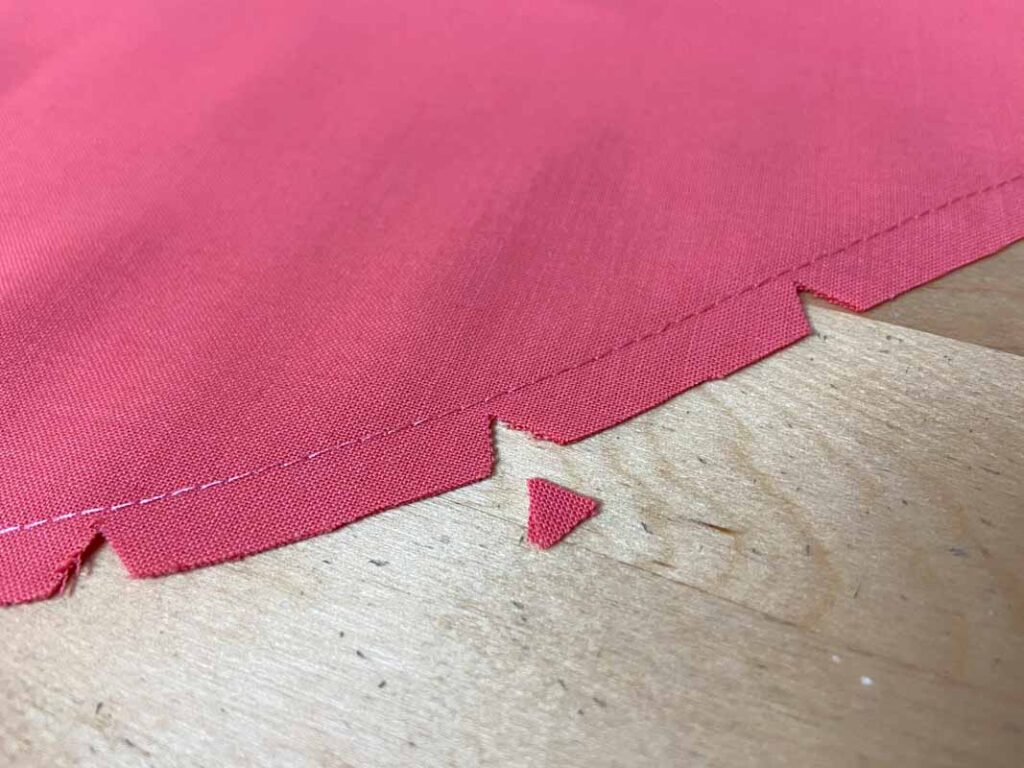
People often think the pattern outline is everything, but seam allowances and curve shapes strongly affect the final plush form. If they are not right, you will see puckers, sharp corners, or strange bulges after stuffing.
Seam allowance is the extra fabric outside the sewing line, and curve shaping is how you draw the line itself. Together, they control how panels join and how smooth the toy looks.
Seam allowance basics
For most plush toys:
- Seam allowance: 3–5 mm is common.
- Use the same value across pieces that join together.
- For very tight curves, you may trim seam allowance slightly after sewing.
Too small: seams are weak and hard to sew.
Too large: curves become bulky and difficult to shape.
Curve shaping
Smooth curves create round heads, soft bellies, and natural limbs. Sharp angles often show as points or dents.
- For heads: add more volume at the cheeks and back, avoid flat “top of head”.
- For bodies: support the belly with a gentle outward curve and taper at the neck.
- For limbs: use soft S-curves so arms and legs hang nicely.
After sewing, clip inward curves and trim outward curves, so the fabric turns smoothly.
Table 3 – Impact of seam allowances and curves
| Element | Good Practice | Effect on Final Plush Form |
|---|---|---|
| Seam allowance width | 3–5 mm, consistent per joint | Strong seams, predictable matching |
| Seam allowance consistency | Same for both pieces on a seam | No excess fabric on one side |
| Head curves | Rounded cheek and crown areas | Full, cute head instead of flat or pointed |
| Body curves | Wide at belly, narrower at neck and base | Stable sitting or standing posture |
| Limb curves | Gentle front curve, smoother back | Soft, natural look instead of stiff tubes |
| Clipping / trimming | Clip curves and trim bulk after stitching | Reduced puckers and smoother 3D surface |
When you adjust seam allowance and curves carefully, your plush toy pattern produces more consistent, professional shapes with fewer test samples.
What techniques ensure symmetry and proportional accuracy in patterns?
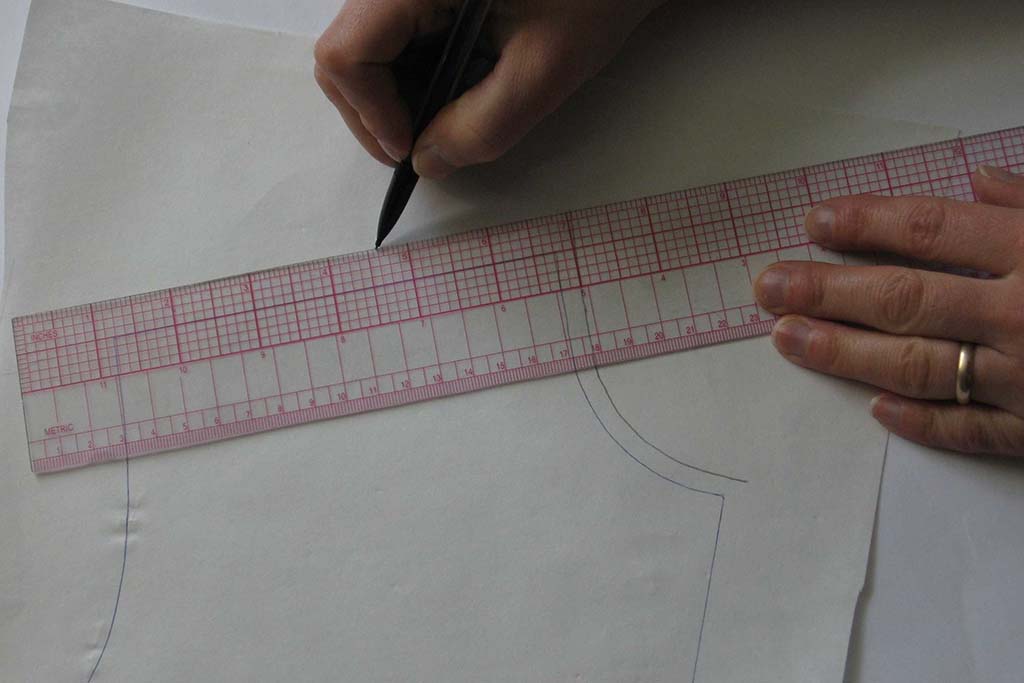
A plush toy can have a cute idea but still look “wrong” if it is not symmetrical or proportioned correctly. One ear higher than the other or one arm longer than the other will make the toy feel unprofessional.
Symmetry and proportion control come from using center lines, mirroring techniques, and measurement checks at each pattern step. This is true for both hand-drafted and digital patterns.
Center lines and reference levels
- Draw a vertical center line on head front, body front, and other symmetrical pieces.
- Add horizontal reference lines for important heights: eye line, nose line, waist line, base.
- Always place facial features relative to these reference lines, not by “feeling”.
Mirroring for symmetry
For symmetrical parts (ears, arms, legs, head panels):
- Draw only half of the shape.
- Fold the paper along the center line.
- Cut both layers together for perfect mirror sides.
Or draw one half in digital tools and mirror it.
Proportion checks
Compare pattern measurements with original concept:
- Head height vs body height.
- Arm and leg lengths vs body size.
- Width of shoulders vs width of hips.
Small changes (for example slightly bigger head) can make a character look much cuter or more serious.
Table 4 – Tools for symmetry and proportion control
| Technique | How to Use It | Benefit for Pattern Accuracy |
|---|---|---|
| Vertical center line | Draw down the middle of head and body pieces | Keeps left and right sides balanced |
| Horizontal reference lines | Mark eye, mouth, belly, and base levels | Aligns facial and body features correctly |
| Fold-and-cut mirroring | Fold paper, cut both halves at once | Perfectly symmetric ears, limbs, and head shapes |
| Tape measure checks | Compare lengths and widths of matching parts | Avoids one arm or ear being longer than the other |
| Overlay on sketch | Place pattern pieces over original drawing | Confirms that proportions match your concept |
| Mini mockup | Quick sample in cheap fabric or paper | Visual test before final sample fabric |
By treating symmetry and proportions as measured decisions, you reduce “wonky” samples and move faster to a production-ready pattern.
How do you test and adjust prototype patterns for optimal fit?
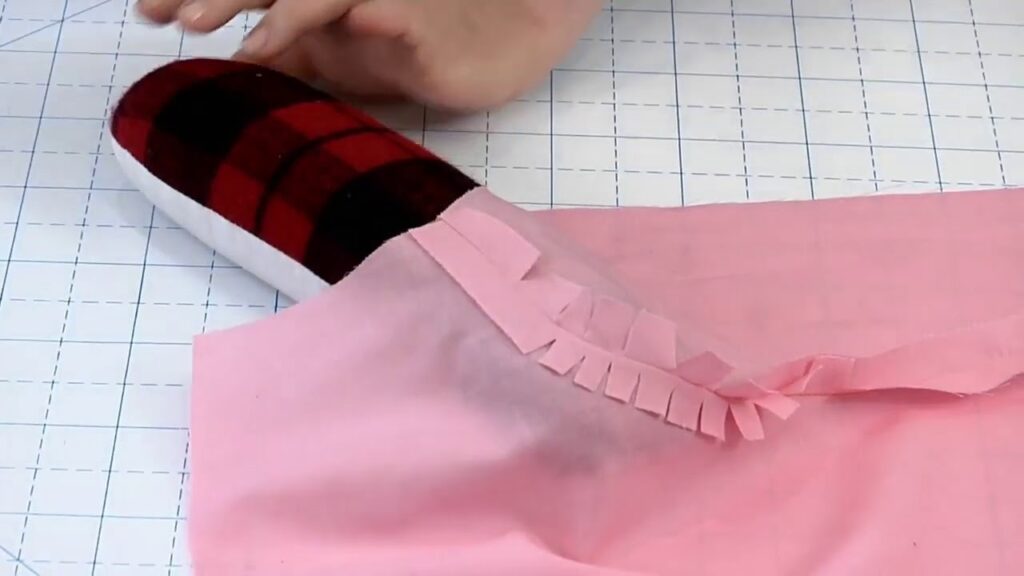
Even an experienced pattern maker rarely gets everything perfect on the first try. The prototype stage is where you see how the pattern behaves when sewn, turned, stuffed, and set on a table.
The prototype is not a failure; it is a tool. You use it to learn where your pattern needs more volume, less volume, or different angles.
Building your first prototype
- Cut fabric similar to what you plan to use in production.
- Transfer all notches and key marks from the pattern.
- Sew with the intended seam allowance.
- Stuff the toy to the planned softness level.
- Take photos from front, side, and back in good light.
Evaluation checklist
Look at the sample and ask:
- Head: Round enough? Too tall or too flat?
- Body: Can it sit or stand as expected? Is the belly shape correct?
- Limbs: Are arms and legs symmetric? Do they hang naturally?
- Face: Are eyes and nose balanced and in the right positions?
- Overall: Does it match the character’s mood and style?
Mark directly on the prototype with a fabric marker: “More volume here”, “Shorten here”, “Move eye up”, etc.
Typical pattern adjustments
- Increase head panel height for a rounder head.
- Add width to body side panel for more belly.
- Move limb attachment points higher or lower.
- Adjust angles on feet so the plush stands more securely.
Then you create Prototype 2, compare, and repeat until the plush feels right.
Table 5 – Prototype issues and possible pattern fixes
| Prototype Issue | What You See | Pattern Adjustment Direction |
|---|---|---|
| Head too flat | Top looks pushed down after stuffing | Add height/curve to crown of head panels |
| Body too skinny | Toy looks narrow, can’t sit well | Increase width in body side panel or belly curve |
| Plush leans forward/backward | Cannot sit straight | Adjust bottom curve or add volume to back |
| Arms or legs uneven | One side higher or longer | Re-measure and correct limb patterns and notches |
| Face looks “off” | Eyes too far apart, nose too low, etc. | Move placement marks on head pattern |
| Overall looks “stiff” | Hard curves, sharp angles | Smooth curves and reduce extreme angles |
Each prototype brings you closer to a pattern that is stable, attractive, and easy to mass-produce.
How can digital tools improve plush toy pattern design and revisions?
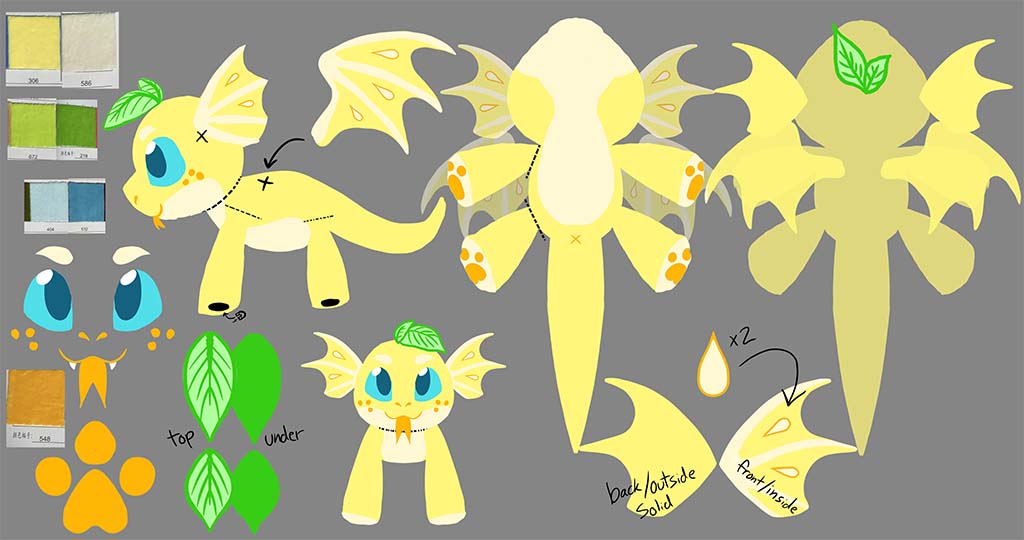
Paper patterns are still powerful, but digital tools can make your work faster, cleaner, and easier to share with manufacturers or teammates. You don’t need advanced 3D skills to get real benefits.
Digital tools help you refine curves, control symmetry, scale sizes, and store pattern versions without losing track. They are especially useful once you move from hobby level to small brand or OEM/ODM projects.
Useful digital tools
- 2D vector drawing software
- For drawing pattern outlines with smooth Bezier curves.
- Easy mirroring and resizing.
- Pattern CAD software
- Built for garments and patterns.
- Supports seam allowance, grading, and notches.
- Basic 3D modeling (optional)
- For large mascots or complex shapes.
- Helps you preview volume before sewing.
- Digital documentation
- PDFs with pattern layouts, sewing notes, and photos.
- Shared folders for version control and communication.
How digital tools help at each stage
| Pattern Stage | Digital Support | Benefit for Design & Production |
|---|---|---|
| Drafting & curves | Vector lines, snap-to-grid, curve editing | Very smooth lines and easy adjustments |
| Symmetry | Mirror and copy functions | Perfect left/right balance with one click |
| Size changes | Scaling and grading tools | Faster creation of multiple sizes |
| Version tracking | Save pattern versions with dates and notes | Clear history of changes and decisions |
| Tech pack creation | Combine patterns, photos, and specs in one PDF | Better communication with factories and partners |
| Factory integration | Send clean files for plotting or laser cutting | Reduces errors and speeds up cutting processes |
In my daily work at Kinwin, we often start patterns by hand, then move to digital for cleanup and long-term storage. This hybrid approach keeps creativity high and makes revisions much easier over time.
Conclusion
A good plush toy pattern is clear, balanced, and repeatable. It starts with simple tools and measurements, then moves through careful drafting, curve and seam control, symmetry checks, prototype testing, and—when needed—digital refinement. When you respect each step, your plush toys look more professional, sew more smoothly, and scale more easily from one sample to full production.
At Kinwin, my team and I help global buyers turn sketches, mascots, and brand ideas into production-ready plush toy patterns with full OEM & ODM support—from pattern and sampling to safety testing and mass manufacturing. If you’re planning your own plush line or want to upgrade existing designs, you’re very welcome to contact me at [email protected] or visit kinwintoys.com to see how our factory can support your next project.